













Your iPhone already has MagSafe built in, so it’s fair to wonder why you’d need a special case to use it. Walk into any store, though, and you’ll see cases labeled MagSafe compatible sitting right next to regular ones, often at a similar price. It’s not always obvious what the difference is, or whether it matters for the way you actually use your phone.
In this guide, we’ll answer the question: Do you need a MagSafe case? We’ll also explain what happens when you use a regular one instead. The short answer depends on how you charge, what accessories you use, and how much you rely on that magnetic connection. Once you know what to look for, choosing the right case becomes much simpler.
What Is a MagSafe Case?

MagSafe is Apple’s magnetic system for iPhone, introduced with the iPhone 12. A ring of magnets inside the phone aligns wireless chargers perfectly and lets accessories like wallets, stands, and car mounts snap on securely. This makes it easy to switch between different accessories throughout the day without dealing with complicated attachments or extra hardware.
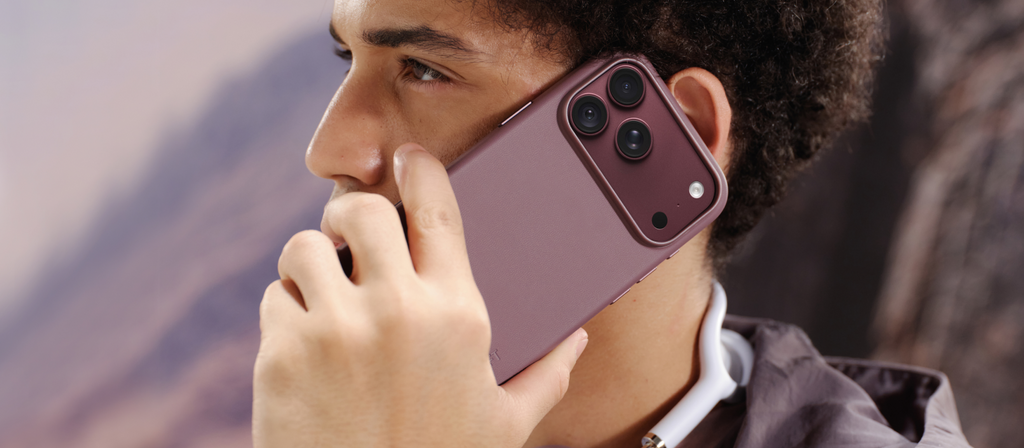
A MagSafe case is simply a case with its own ring of magnets built in, positioned to line up with the magnets inside your iPhone. Instead of blocking the connection, it passes it through, which means chargers and accessories attach to the case just as they would to a bare phone. If you want to learn more about this, make sure to check out this article: What Is MagSafe Case? | Complete Guide.
Do You Need a MagSafe Case to Use MagSafe
It depends on whether you use your iPhone with a case. MagSafe is built into every compatible iPhone, which means chargers, wallets, and stands can attach directly to the bare phone. Most people, however, keep their phone in a case, and that’s where the difference starts to show, because a regular case adds distance between your iPhone’s magnets and the accessory.
That extra layer weakens the magnetic hold and can pull chargers out of alignment, leading to slipping wallets, unsteady stands, and slower or interrupted charging. A MagSafe case solves this with its own built-in magnets, keeping the connection strong and precisely aligned. If you want to protect your phone and still enjoy everything MagSafe offers, a compatible case is the way to go. For more details, take a look at our guide: Do You Need a MagSafe Case for Wireless Charging.
When a MagSafe Case Makes a Real Difference

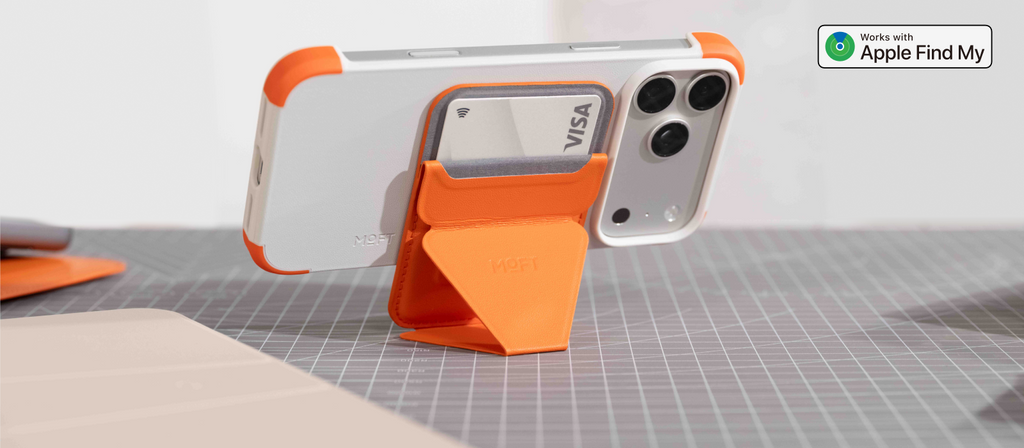
If you use any magnetic accessories, a MagSafe case is close to essential. Wallets, stands, grips, tripods, and battery packs all rely on a strong magnetic hold, and a case without magnets adds distance that weakens it. With a proper MagSafe case, a MagSafe wallet stays put in your pocket, a MagSafe stand holds steady on your desk, and a car mount keeps your phone in place over bumpy roads.
Charging is the other big reason. MagSafe chargers rely on magnets to line up perfectly with the charging coil in your iPhone. A MagSafe case keeps that alignment precise, which helps your phone charge efficiently and stay attached to the charger, even when you pick it up to reply to a message. For anyone who charges wirelessly every night, that consistency quickly becomes something you notice and appreciate.
What Happens With a Regular Case on a MagSafe iPhone?
A regular case doesn’t stop MagSafe from working entirely, but it does weaken it. The extra layer between your phone and the accessory reduces magnetic pull, which means wallets can slide off, stands may sag, and chargers can lose alignment. Thicker cases make this worse, and some block the magnetic connection completely. Wireless charging may still work, though often less reliably and sometimes more slowly.
You’ll also miss out on the convenience that makes MagSafe appealing in the first place. Instead of snapping an accessory on and moving on with your day, you may find yourself adjusting it, catching it as it slips, or removing your case to charge.
How to Tell If a Case Is Truly MagSafe Compatible

Start by looking for a visible or described magnet ring. Genuine MagSafe cases have magnets built into the back, usually in a circle around the center, and the product description should say so clearly. Be cautious with cases that only claim to be “wireless charging compatible,” since that usually means the case is thin enough to charge through, not that it has magnets of its own.
It also helps to check whether a case has been tested with real MagSafe chargers and battery packs, and whether charging speed stays close to normal. Strong, well-aligned magnets make a noticeable difference with heavier accessories. Finally, make sure the case fits your exact iPhone model, since a poor fit can shift the magnets out of place. Browsing MagSafe accessories designed to work together is an easy way to avoid compatibility issues.
Best MagSafe Cases in 2026
Whether you have the latest iPhone 18 Pro, an iPhone 17, an iPhone 16, or an iPhone 15 you plan to keep for a few more years, there’s a MagSafe case made for it. Each pick below has built-in magnets, a precise fit for its model, and durable materials designed to last. Together, they show how a good MagSafe case can look and feel very different while doing the same essential job.
1. Snap Case for iPhone 18

Say hello to the Snap Case for iPhone 18 Series, a refined vegan leather case for the iPhone 18 Pro and Pro Max. It weighs just 0.98 ounces on the Pro and 1.2 ounces on the Pro Max, and its thinner back panel and gently re-curved edges make it more comfortable to hold than before. The soft-touch MOVAS™ surface carries a coating that resists scratches and dirt, while a crater-textured lining protects the phone from the inside.
A camera frame sits 0.65mm above the lenses to cover the taller camera module, and reshaped metal buttons stay crisp and responsive. Built-in magnets keep MagSafe chargers and accessories firmly attached, NFC payments work right through the case, and a groove holds a lanyard anchor. Choose from 14 colors to suit your style.
2. Frame Case for iPhone 18

Meet the Frame Case for iPhone 18 Series, a borderless MagSafe case that keeps your iPhone 18 Pro or Pro Max feeling almost caseless. Weighing just 0.98 ounces on the Pro and 1.16 ounces on the Pro Max, it protects where it matters without adding bulk. Shock-absorbing TPU corners cushion everyday impacts, while a 1.1mm raised screen bezel and a 0.65mm raised camera ring keep the display and lenses off flat surfaces. The durable MOVAS™-P vegan leather resists stains and holds its color over time.
Built-in magnets connect securely with MagSafe chargers, wallets, and stands, and NFC payments work as usual. What really sets it apart is bold color blocking, with five two-tone combinations designed to complement each iPhone 18 Pro finish for a look that feels distinctive and personal.
3. Snap Case for iPhone 17

Introducing the
Snap Case for iPhone 17 Series, a soft vegan leather case made for the iPhone 17, 17 Pro, and 17 Pro Max. Its MOVAS™-P surface feels smooth in hand and has passed 26 rigorous tests, including stain tests where coffee wipes away after 15 minutes and rub tests with no fading after 500 cycles. A covered, touch-sensitive Camera Control button keeps quick capture easy, while clicky aluminum side buttons give every press a satisfying feel.
Built-in magnets have been tested with MagSafe chargers and battery packs, with charging speed unchanged compared to no case, and NFC payments work as usual. A groove for a lanyard anchor adds hands-free carry options. At around 1.2 ounces, it stays light, and the Pro models come in 11 colors, from Misty Cove to Sapphire.
4. Dynamic Folio Case for iPhone Duo

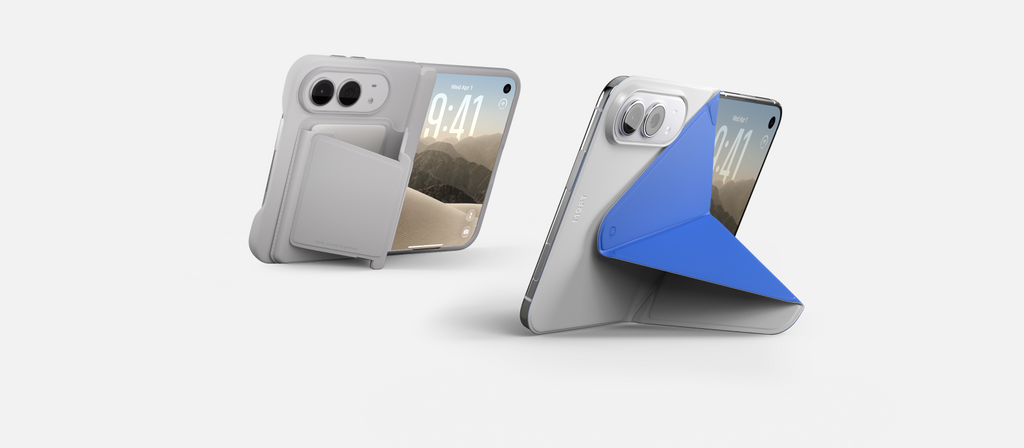
Discover the Dynamic Folio Case for iPhone Duo, an origami-inspired design that works as a case, a folio, a stand, and a grip in one piece. It clips directly onto your iPhone Duo without adhesive, wrapping the back, edges, and outer display in soft yet durable MOVAS™-P vegan leather. Extra padding around the corners and along the top and bottom edges adds protection, while raised borders guard the screen and camera.
The magnetic front cover stays shut even when the phone is held upright, then folds into four landscape, portrait, and lounge positions for hands-free viewing. A centered grip feels comfortable in either hand, folded or unfolded. The top camera button is fully covered, side buttons stay responsive, and it works seamlessly with MagSafe chargers and wallets. Choose Misty Cove x Sapphire or Navy Blue.
5. Invisible Case for iPhone 16

Meet the Invisible Case for iPhone 16, a clear MagSafe case designed to show off your iPhone while keeping it protected. Its PC shell offers 90% transparency and resists yellowing for year-long clarity, while a 3H surface hardness helps it shrug off everyday scratches. Dual cutouts give you easy access to Camera Control, and dual-curved edges create a bare-device feel in your hand. Shock-absorbing TPU corners protect against drops of up to 3.9 feet, and 0.7mm raised bezels shield the screen and camera.
At just 27 grams, it’s 33% lighter than the previous Snap Case, yet a 10N magnetic force keeps MagSafe accessories firmly in place. A recessed charging port makes plugging in easy, and the four corners glow in the dark, making it easy to find your phone on a nightstand at night.
6. Snap Case for iPhone 15

Say hello to the Snap Case for iPhone 15, a soft and durable MagSafe case for anyone who plans to keep their iPhone 15 for years to come. Made from MOVAS™-P vegan leather, it combines a smooth, comfortable touch with strong scratch and stain resistance, keeping it looking clean through daily handling. The material has earned six certifications for performance and is designed for color endurance, which means it holds its shade instead of fading over time.
Despite its slim, lightweight profile, it wraps the phone thoroughly for reliable everyday protection. Built-in magnets keep MagSafe chargers and accessories securely attached, and the case is compatible with lanyards for hands-free carry. Six colors let you pick a look that matches your style and outfit, from timeless neutrals to brighter, more playful shades.
7. Snap Case for iPhone Air

Introducing the Snap Case for iPhone Air, designed to protect Apple’s thinnest iPhone without hiding the sleek profile that makes it so special in the first place. At about 1.2 ounces, it keeps the Air light and slim, while soft-touch MOVAS™-P vegan leather adds a comfortable grip and resists scratches and stains. A covered, touch-sensitive Camera Control button keeps quick shots easy, and clicky aluminum side buttons stay responsive. A groove for a lanyard anchor lets you carry your Air hands-free. It comes in three understated colors, Misty Cove, Jet Black, and Taupe, chosen to complement the Air’s clean, minimal design and colorways.
Wrap Up!
A MagSafe case isn’t strictly required to use your iPhone, but it makes a real difference if you charge wirelessly or use any magnetic accessories. It keeps chargers aligned, holds wallets and stands securely, and lets you enjoy MagSafe the way Apple intended. A regular case can work for basic protection, but it often turns a seamless experience into a slightly frustrating one.
Since MagSafe cases cost about the same as regular ones, there’s little reason not to choose one. Look for built-in magnets, a precise fit for your exact model, and durable materials that will last as long as you keep your phone. Get those right, and your case will protect your iPhone while keeping every part of MagSafe working smoothly.