





Airflow Stand For Laptops MS005 Cool Gray
Airflow Stand For Laptops MS005
Airflow Stand MS005
Airflow Stand For Laptops MS005 Misty Cove
Airflow Stand For Laptops MS005 Navy Blue
Airflow Stand For Laptops MS005 Earthen Beige
Airflow Stand For Laptops MS005
Airflow Stand For Laptops MS005 Jet Black
Airflow Stand For Laptops MS005

Airflow Stand

$24.00 USD

Tailored for on-the-go PC users (Adhesive version)

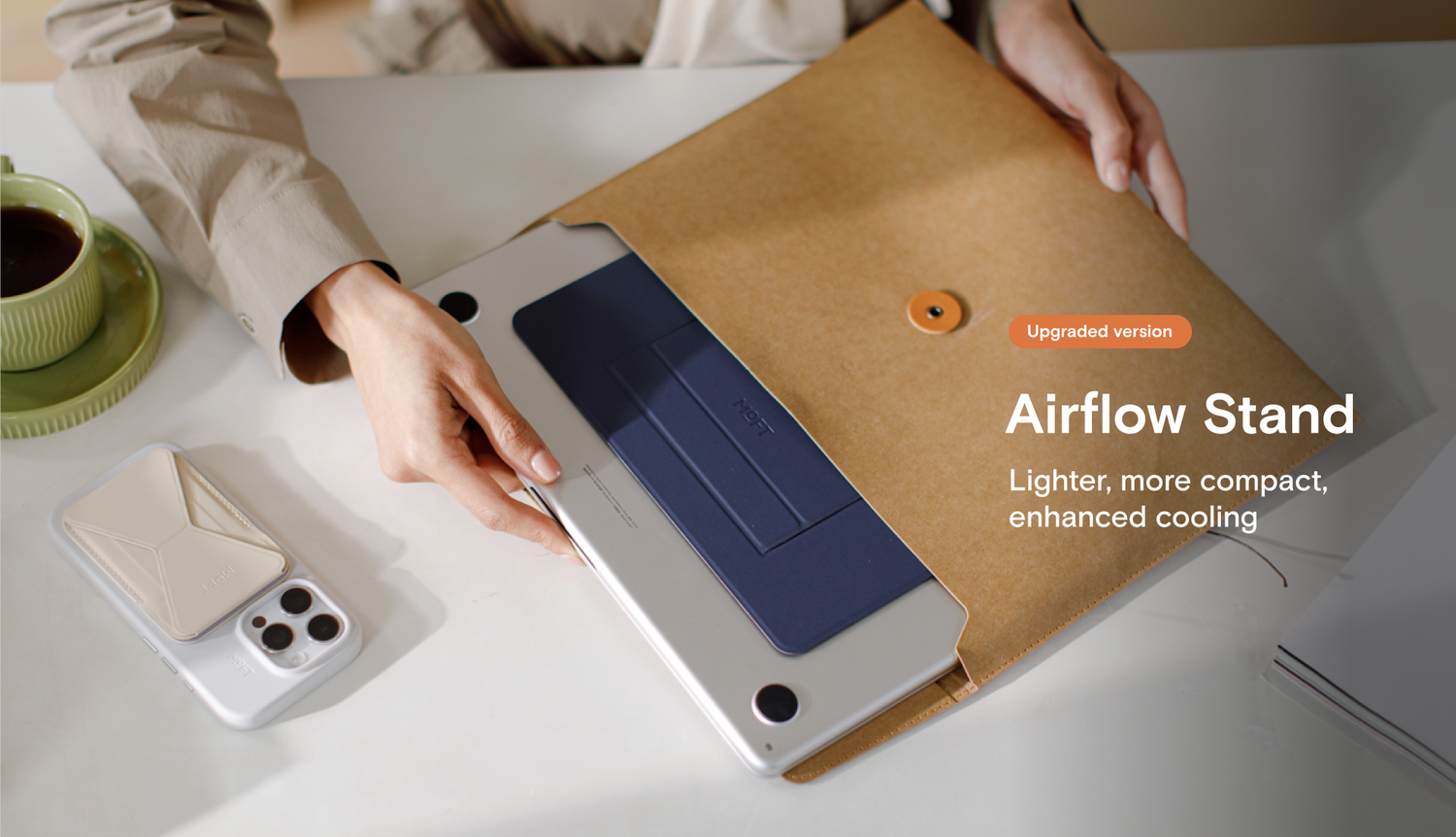
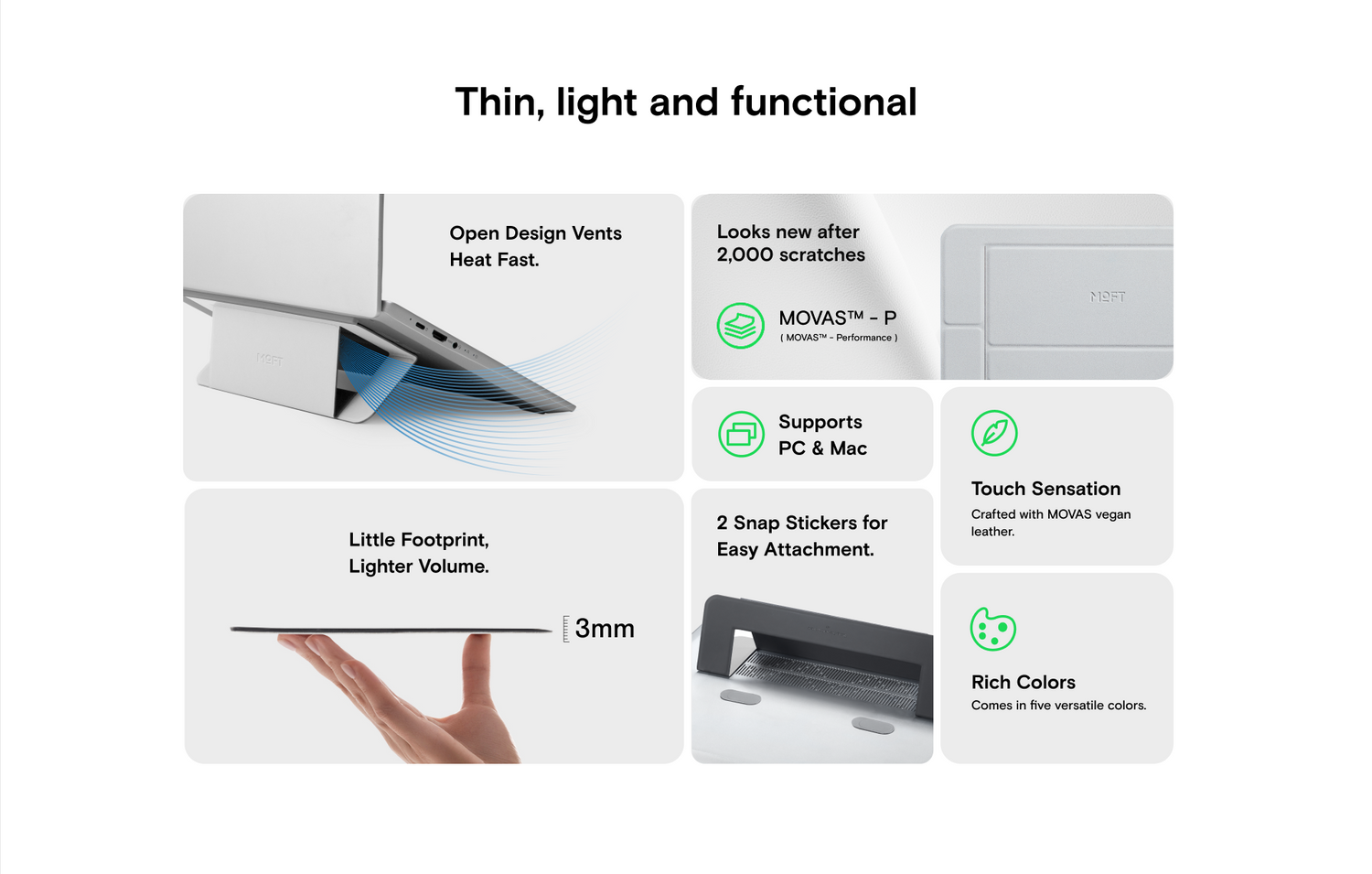
  • At 0.1 in thin, 2.3 oz weight. Unfelt and unseen when carried. 
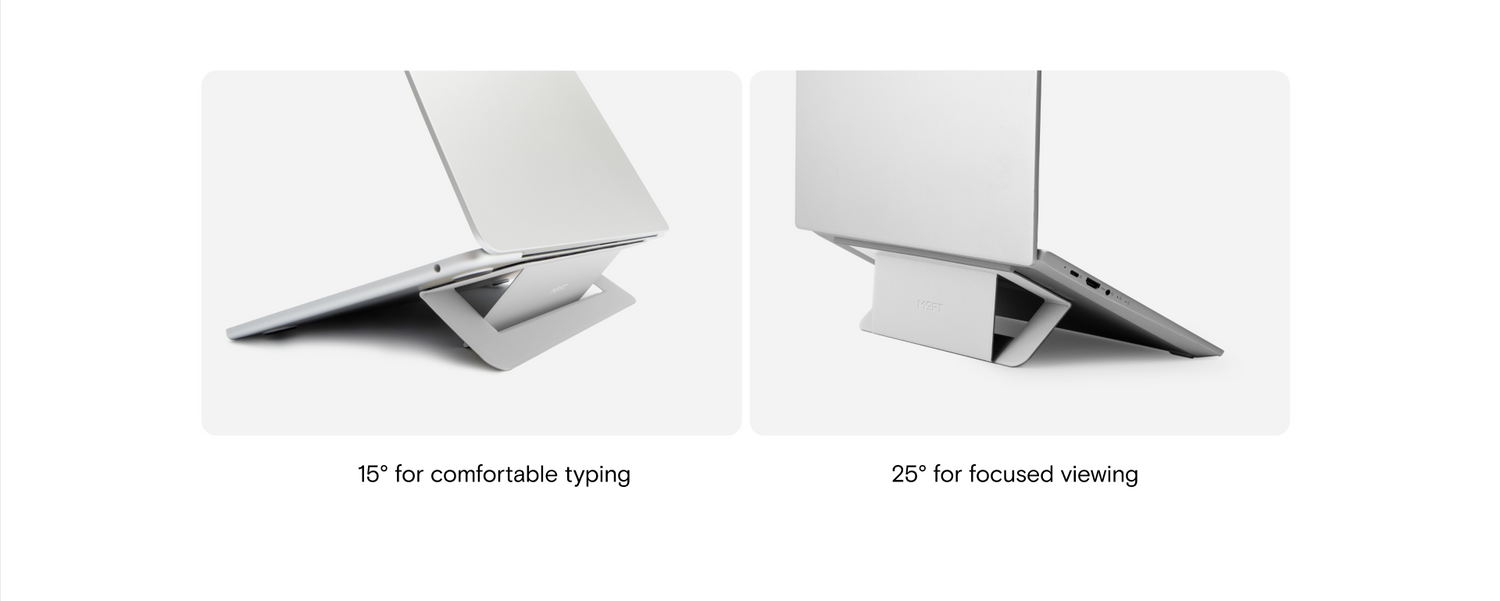
  • 2 or 3 inches adjustments for ideal height to work.
  • Constructed with vegan leather and strong fiberglass.
  • Reusable and residue-free adhesive.
  • Compatibility: 11.6"-16" laptops with vents near the hinge

Color: Cool Gray

Cool Gray
Jet Black
Misty Cove
Navy Blue
Earthen Beige

american expressapple paygoogle payjcbmasterpaypalshopify payvisa
Product Features
Color

Cool Gray, Jet Black, Misty Cove, Navy Blue, Earthen Beige

Product Specifications

Height Adjustment: : 2 or 3 inches

Weight: 2.3 oz/65 g

Dimensions: 8.8*5.3*0.1 in/224*135*2.5 mm

Shipping
  • What locations do we ship to?

Europe: Austria, Belgium, Czechia, Denmark, Finland, France, Germany, Greece, Hungary, Ireland, Italy, Luxembourg, Netherlands, Norway, Poland, Portugal, Romania, Slovenia, Spain, Sweden, Switzerland, Turkey, United Kingdom

American: Canada, Mexico, United States

Asia: Brunei, China, Hong Kong SAR, Indonesia, Israel, Japan, Kuwait, Macao, Malaysia, Philippines, Qatar, Saudi Arabia, Singapore, South Korea, Thailand, United Arab Emirates, Vietnam, Taiwan

Oceania: Australia, New Zealand

  • How long does it take to ship?

US Standard Shipping: 5-10 business day delivery.

Europe & Canada Standard Shipping: 7-10 business day delivery.

Shipping Email Notice: We will send you an email with the tracking number once your order has been shipped.

Global Standard Shipping: 8-15 business day delivery. Some countries in Middle East, Southeast Asia and Latin America might take up to 15-25 business days.

Note for shipping to China: Type in Chinese if in China for shipping process.

FAQs

Is it an adhesive stand?
Yes, it's adhesive to always be attached to the laptop.

  • 5 stars: 3 (75%)
  • 4 stars: 1 (25%)
  • 3 stars: 0 (0%)
  • 2 stars: 0 (0%)
  • 1 star: 0 (0%)
M
Mariana
good for macbok air

so far no problems after a month of use, and lots of compliments from people at work

T
Talia Ong
2nd purchase

My 2nd purchase. Prefer this over the usual laptop stand as it feels more solid and less wobbly. Quality and useful product from moft as usual.

C
Colin Seton
Origami of the most practical kind

I’ve bought this for myself, and two of my clients, and it never disappoints. Brilliant design, especially the magnets.

B
B.W.
Simple and Elegant

This is my second moth product, and they work as advertised. I love the simple functionality I get, with minimal design and footprint. As a manufacturer myself I appreciate the simplicity and the value I get from this product. Thanks to you all

M
Mark

Hello,

Which stand would you advice for my Lenovo 16 inch gaming laptop? Main use with stand would be to use the keyboard of the laptop.

Many thanks

MOFT

Hi Mark,
Thanks for your question.
This Airflow Stand (https://www.moft.us/products/airflow-stand) is an excellent choice for your Lenovo 16-inch laptop.

C
C

I'm looking to buy a laptop stand, but also thinking of replacing my 2019 16 inch Macbook with a new 14 inch soon.

So I was thinking maybe a non-adhesive one so that I can move it from one laptop to the other.

But if I'm not mistaken, the only non-adhesive one is NOT compatible with 14 inch Macbooks https://www.moft.us/products/moft-stand-non-adhesive-version?variant=31686447202391

You say that the adhesive ones can be easily removed without any glue residue. But can they also be re-applied to another laptop after removal?

MOFT

Hi Cedric,
Thanks for your question. Yes, 14-inch MacBooks with rubber feet on the button may not have enough space left for the Non-adhesivestand.

If you're planning to move adhesive stand to a new laptop, here are some tips to help you with the process:
1. Gently peel off the stand, starting from the edges. Peel off both upper and lower layers simultaneously to avoid damage. Handle with care to prevent separating layers and damaging the product. Conduct the process in a clean environment to prevent dust from affecting adhesion.

2. Wash the adhesive surface with water, using your hands to prevent residue. Allow the stand to air dry after cleaning for adhesive effectiveness. Adhesive will regain stickiness for easy reattachment.

3. Proper Reattachment and Placement Ensure the new laptop's surface is clean and dust-free. Place the stand correctly near the upper side of the laptop. Position the edge of the stand as close as possible to prevent flopping.

Hope it helps you! :)

G
Giovanni Spagnoli

When not in use, if I have my laptop on a table, would this would block my vents from dispersing heat? I assume so since it adheres to the laptop and its not easily removable.

MOFT

Hi Giovanni, thanks for your question. The stand should have the same effect as a table has when your laptop is placed on a table because it's flat without being plush to fully cover the vents. Hope that helps. Feel free to let us know if you have any additional questions.

K
Karla

can I use it with gamer laptops? since they are usually a little more heavy

MOFT

Hi Karla, thanks for your question. Yes, it can work with gamer laptops that don't weigh over 4.9 kg/11 lbs because the max supported weight of the laptop stand is 11lbs. Feel free to let us know if you have any additional questions.

J
John

I use this on my work laptop with vents and it works great. However, if I encounter a hardware issue and they need to replace my system, is it possible to order replacement adhesives?

MOFT

Hi John, thanks for your question. We're afraid replacement adhesives aren't available for now. We recommend reattaching the stand after cleaning the adhesive. For cleaning reference, please check the tutorial here: https://youtu.be/hj5CPpvEz6A?feature=shared
Feel free to let us know if you have any additional questions.

A
Angel

Hello! Will this be compatible with the Dell Latitude 5420?

MOFT

Hello Angela, thanks for your inquiry. Yes, the Airflow Stand works with the Dell Latitude 5420. Feel free to let us know if you have any additional questions.

p
pedro sanjines

Buenas tardes, soy de La Paz Bolivia, como puedo hacer una compra para recibir su producto en La Paz Bolivia?

MOFT

Hi Pedro, thanks for your question. We'll check with our shipping center and get back to you in two days.

C
Cecilia Albitre

Hi!! I have been using the adhesive laptop stand for 3+ years and I am beyond satisfied. I have recently upgraded my laptop to a Lenovo Thinkpad E14 and it has vents on the bottom. Do you recommend me the airflow adhesive stand or the non-adhesive stand? Thanks for your help!!

MOFT

Hi Cecilia, thank you for the support and question. Glad to know our product had been a your companion to your laptop for so long. :) For a Lenovo Thinkpad E14, we recommend the non-adhesive stand considering most of its air vents are located near the laptop hinge. Hope this helps. :) Feel free to let us know if you have any additional questions.

M
Markus

Would you recommend the original or the ariflow stand for a dell latitude 7520? there is a fand at the bottom shifted to the left side.

MOFT

Hi Markus, thanks for your question. We would recommend the Airflow Stand for a dell latitude 7520, though the adhesive of the Airflow Stand might still block a small part of the fan at the bottom of the laptop. Feel free to let us know if you have any additional questions.

J
Jen

How do you reuse the adhesive? Do I have to clean it (and how if yes) or just simply detach and attach to a new laptop?

MOFT

Hi Jen, thanks for your question. We recommend using a wet cloth to clean the adhesive and wait for it to dry naturally before reattaching it. Check the video tutorial here:
www.youtube.com/watch?v=hj5CPpvEz6A
Please note that the adhesive will start to wear after 5-6 re-sticks. Feel free to let us know if you have any additional questions.

A
Anta Skujina

hey, do you ship it to latvia?

MOFT

Hi Anta, thanks for your question. We're afraid shipping to latvia currently is unavailable. >< We will be sure to add it back to the shipping country list once when it's available in the future.

D
Ducho Chanev

I have been using the original adhesive laptop stand for more than two years now (with HP Envy x360) and it's awesome! Now I am upgrading to Asus ROG Flow X16 which has an unique three-fan configuration underneath. Will you recommend the original stand or this airflow stand?

MOFT

Hi Ducho, thanks for your support and feedback! For the Asus ROG Flow X16 with a three-fan configuration underneath, we recommend using the airflow stand to avoid blocking the third fan. Feel free to let us know if you have any additional questions.

I
Igor Loos

Does if fit on any Laptop? I have Lenovo Legion 5

MOFT

Hi Lgor, thanks for your question. Yes, it can fit on Lenovo Legion 5. It attaches to the bottom of your laptop, though it seems that the bottom of your laptop has vents, the stand has an opening for airflow. Feel free to let us know if you have any additional questions.

N
Nina Rica Villanueva

Is this a reusable stand? Can I use it with my other laptop?

MOFT

Hi Nina, thanks for your question. Although the stand is reusable, we recommend using it on one laptop because its adhesive will become stronger the longer it attaches to the laptop. For switching to other laptop, we recommend the non-adhesive version. Please feel free to check it out here: www.moft.us/products/moft-x-tablet-stand

C
Chahat Shiv Gopal

Hello,
Si I have a little question. What is the difference of the adhesive cooling stand and the airflow adhesive stand ?

MOFT

Hello, thanks for your question. The main difference is their compatibility. The adhesive cooling stand works better with MacBooks and laptops up to 16" without vents underneath, while the airflow adhesive stand is designed for laptops with vents underneath. Hope that helps.

K
Kimberly Go

Is this airflow an adhesive stand? I want it to always just be attached to the laptop. Thanks

MOFT

Hi Kim, thanks for your question. Yes, the Airflow is an adhesive stand. :)

W
Wyona Belle

Is this compatible with the macbook pro 14"?

MOFT

Hello, thanks for your question. Yes, it's compatible with MacBook Pro 14". :)